Clearing Data in Microsoft Edge
Clearing cache and cookies in Microsoft Edge.
Method 1: Quick clear
- Open the Microsoft Edge browser.
- Press the keyboard shortcut:
- Windows/Linux:
Ctrl + Shift + Del - macOS:
Cmd + Shift + Del
- Windows/Linux:
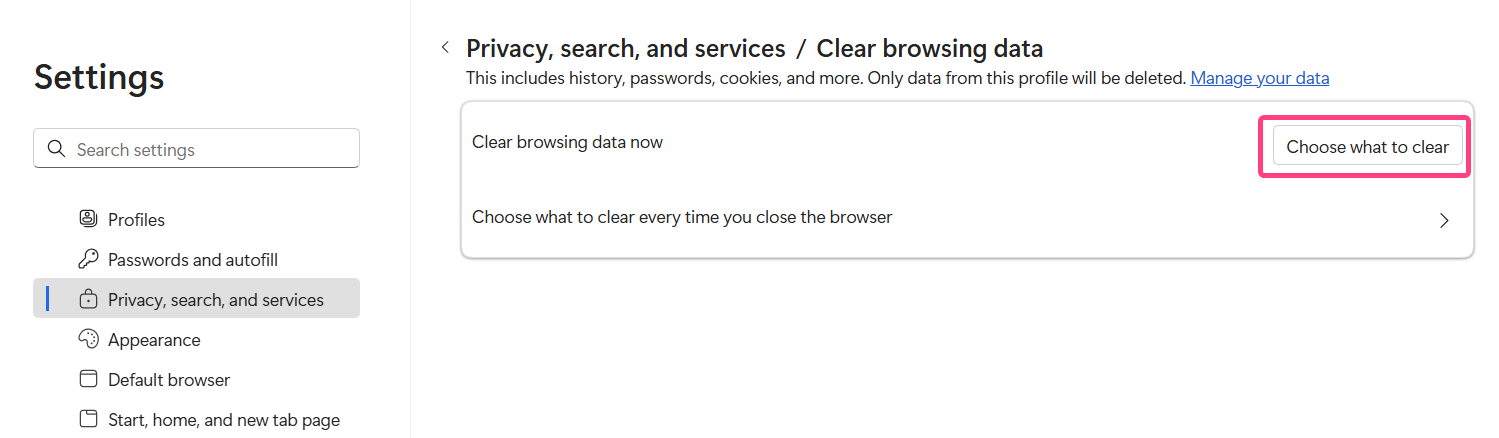
- The
Clear browsing datawindow will open.
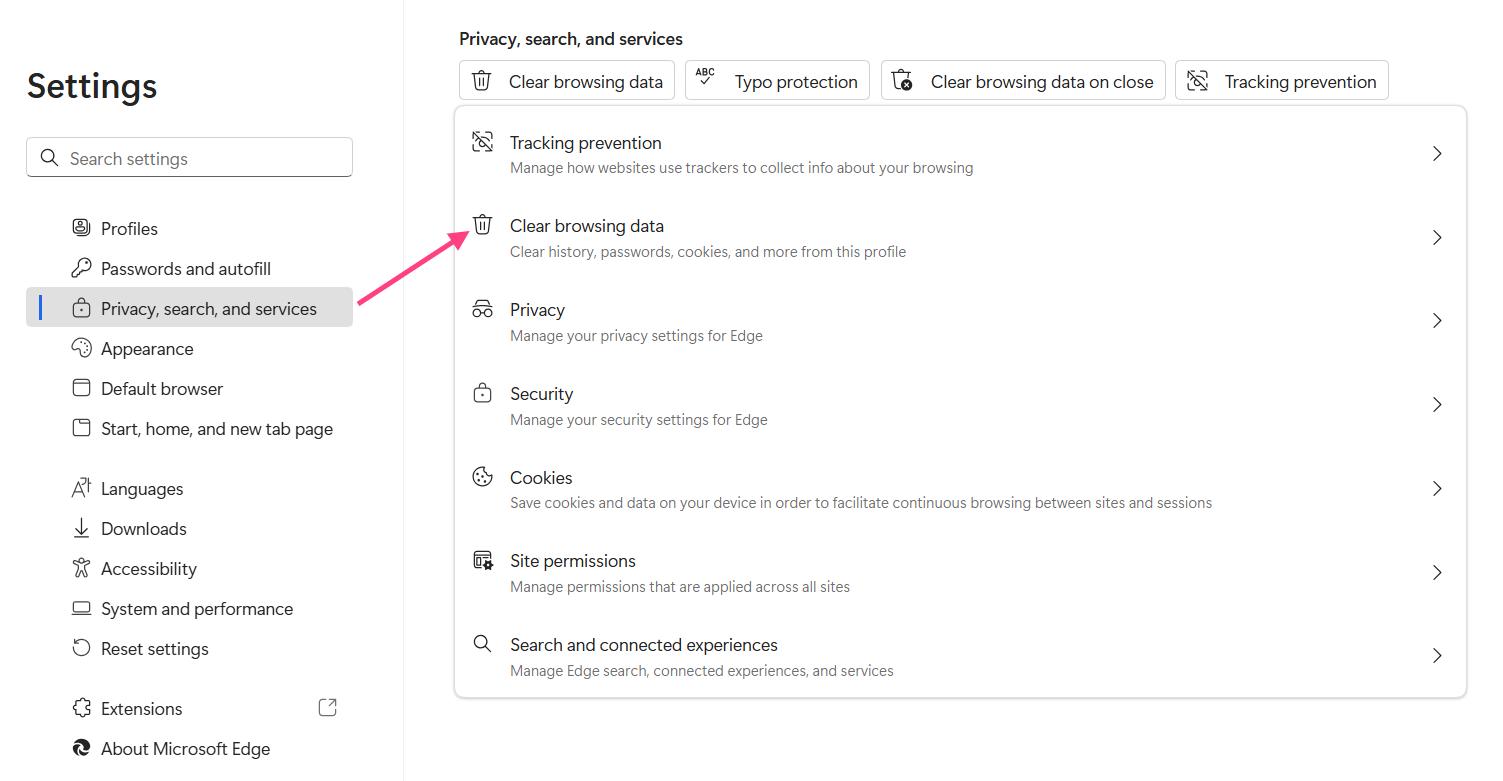
- In the
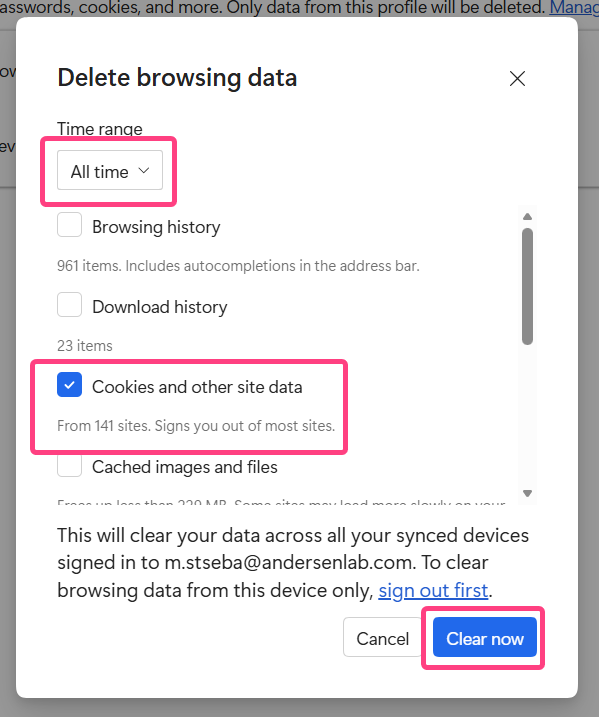
Time rangedropdown, select All time.
- Check the following boxes:
- Cookies and other site data
- Cached images and files
- Click the Clear now button.
After clearing Close the browser and open it again. Go to the interview page.