Recruiter-Side Interview Flow
P2P interviews allow you to organize a live video interview between a recruiter and a candidate in real time. The system automatically builds the interview structure based on the selected template and may include technical questions.
Two main P2P interview options are available on the platform:
- without technical questions;
- with technical questions.
Interviews of this type can also be created through the Campaigns section if you need to organize mass interviewing of candidates using a shared link.
Preparing And Creating An Interview
The process of creating a P2P interview is the same for scenarios with and without technical questions. The difference is which interview template is selected during creation.
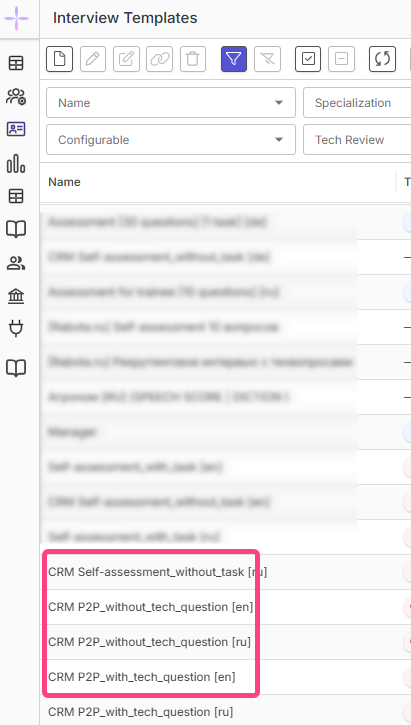
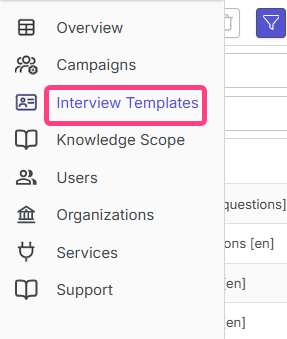
- In the sidebar, open Interview Templates.
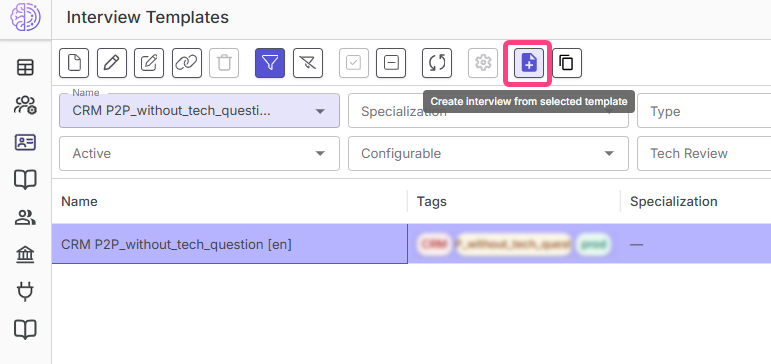
- In the template list, select the required P2P interview template.
- Click Create interview in the toolbar.
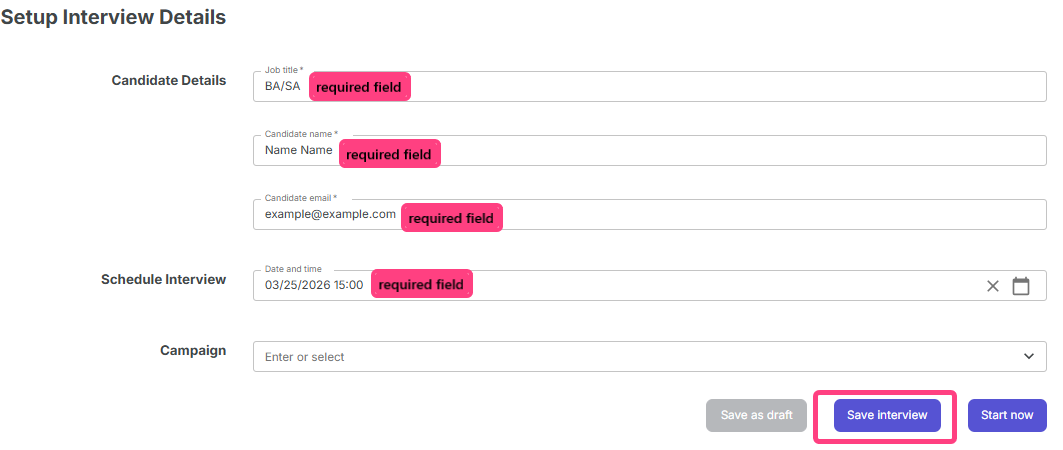
- On the Interview setup page, fill in:
- Required:
- Position.
- Candidate name.
- Candidate email.
- Date and time.
- Optional:
- Campaign.
- Required:
- Click Save interview.
- After saving, the Interview details page will open with the general interview information.
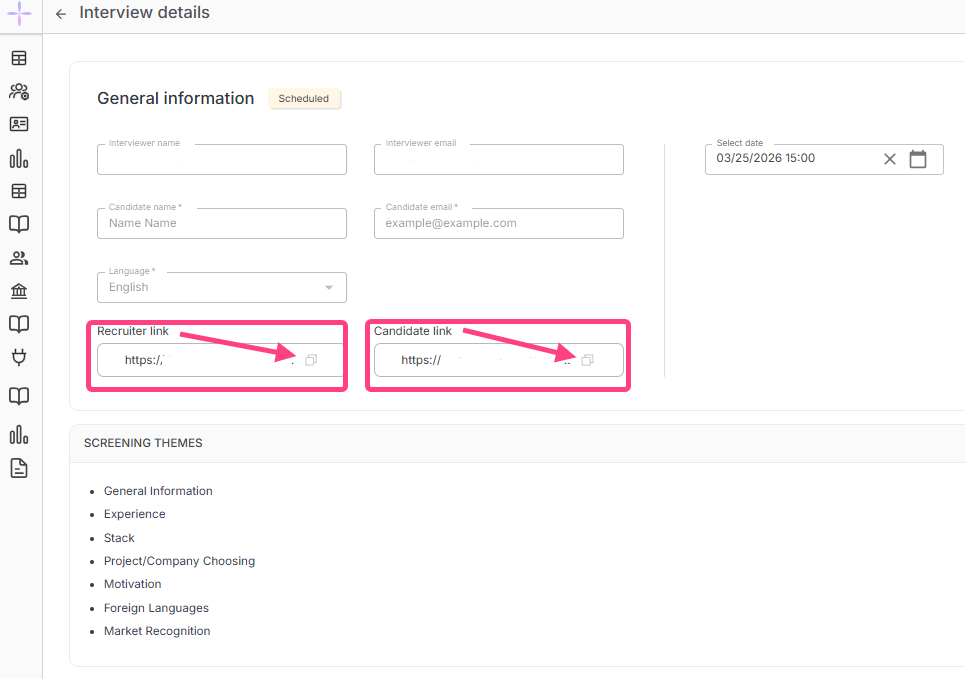
On this page, you can:
- review the interview details;
- change the scheduled date;
- delete the interview if it is no longer needed;
- copy and send the candidate their interview link.
After that, the recruiter sends the link to the candidate by messenger, email, or another convenient method and can return to the interview at the scheduled time.
Conducting The Interview
Before starting the interview, make sure the camera, microphone, and headphones are working properly, and that the candidate has already received their link.
- At the scheduled time, open your recruiter link.
- Allow the browser to access the camera and microphone.
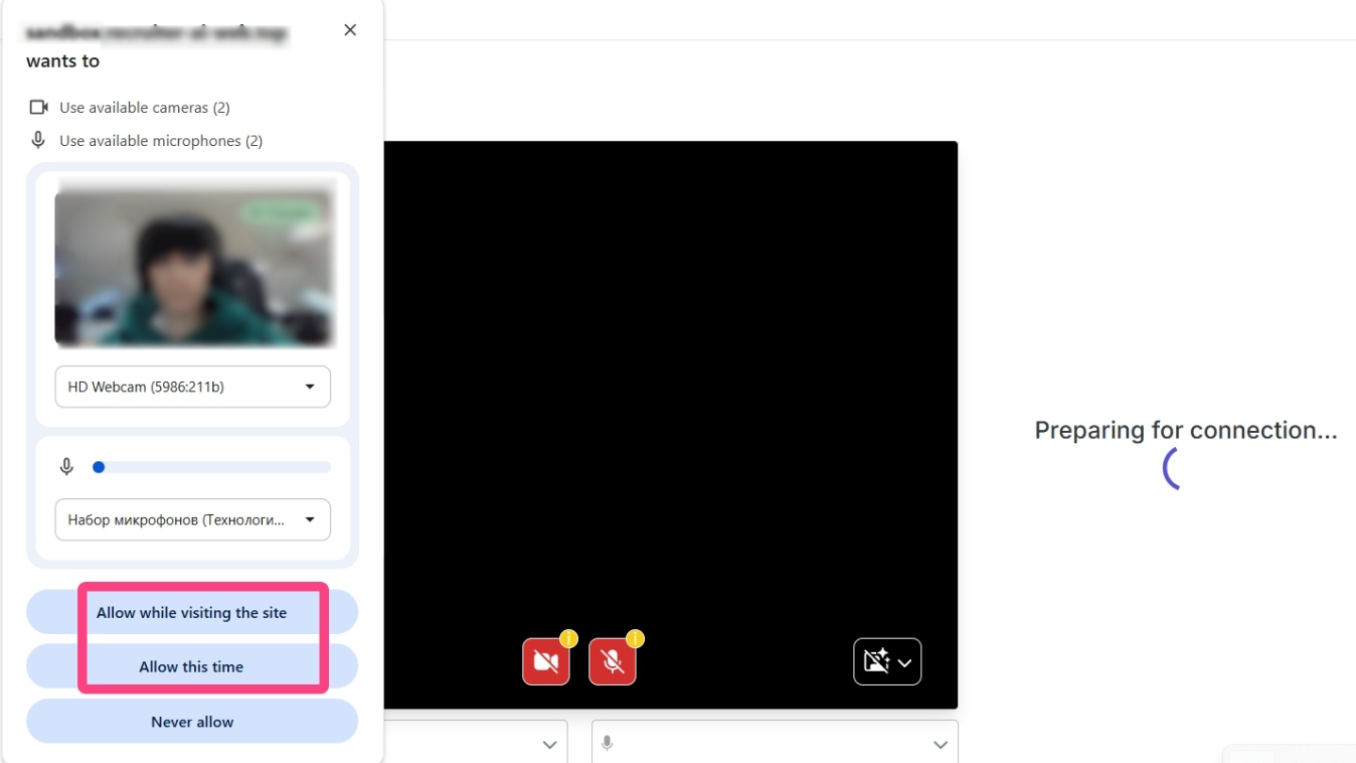
- A waiting room will open with a status indicating that the candidate has not yet connected.
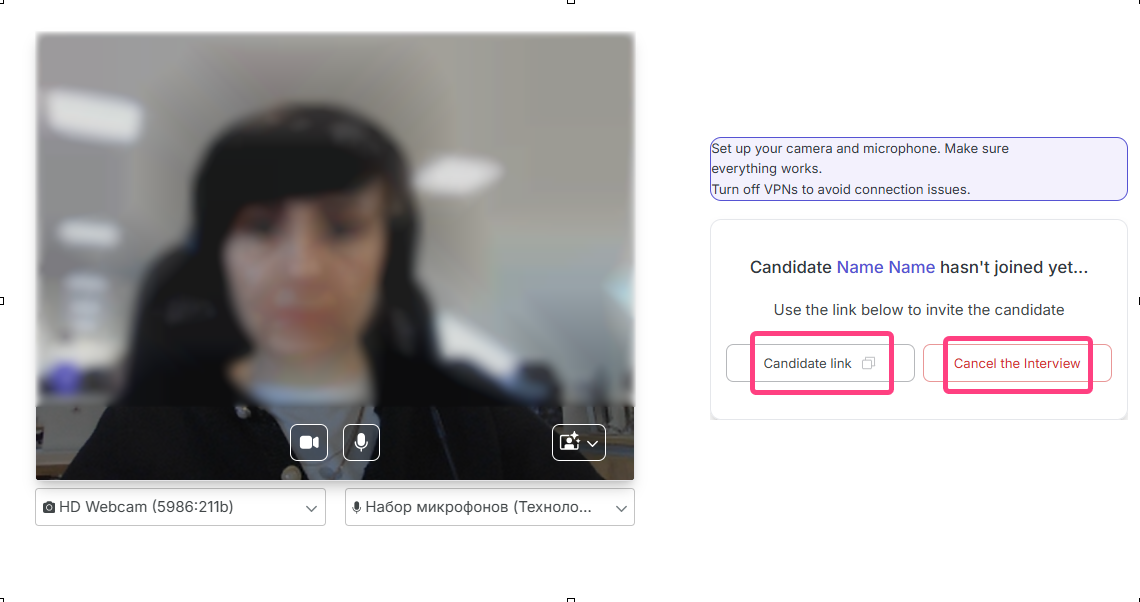
- Wait until the candidate opens their link and connects.
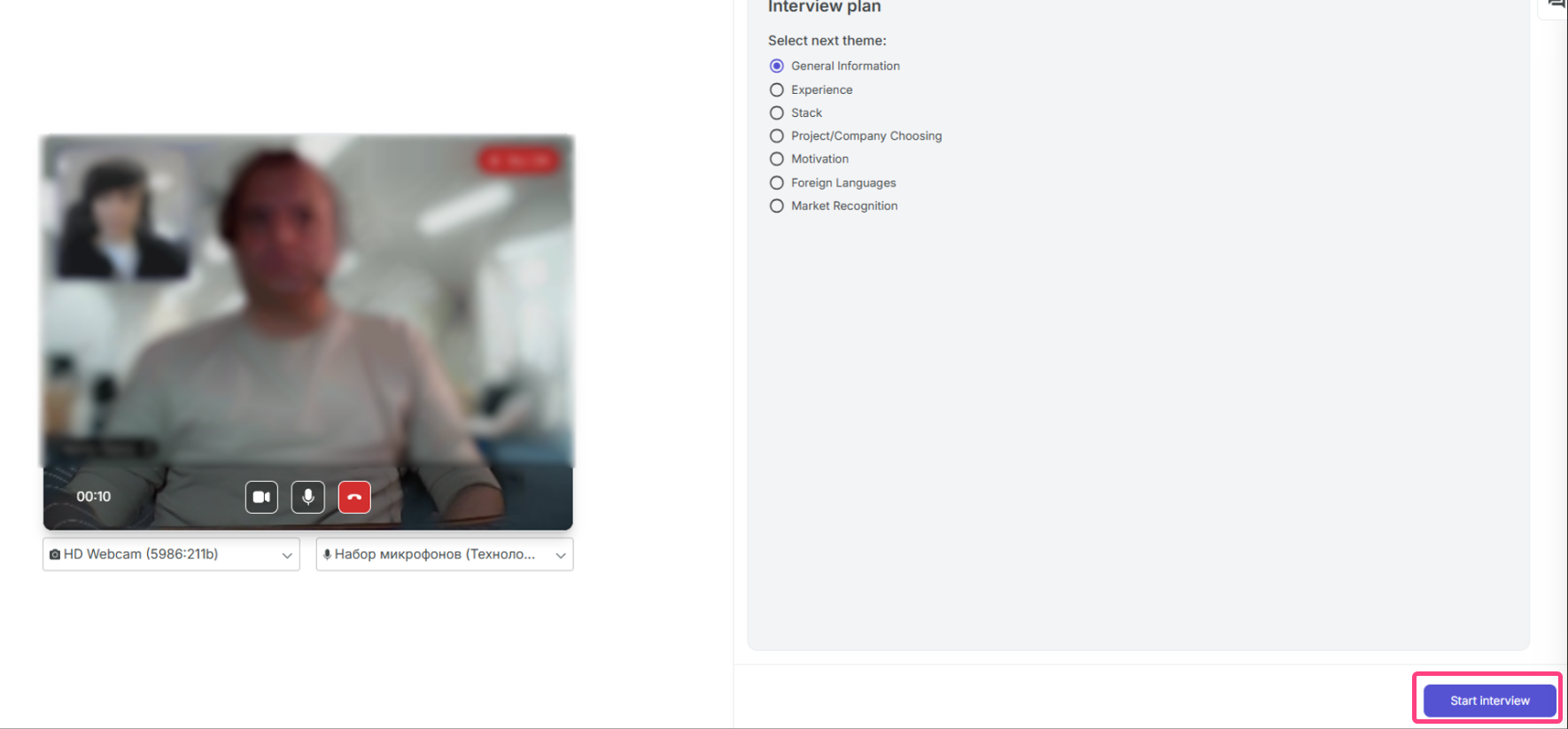
- Once the candidate joins, the status will change and the Start interview button will appear.
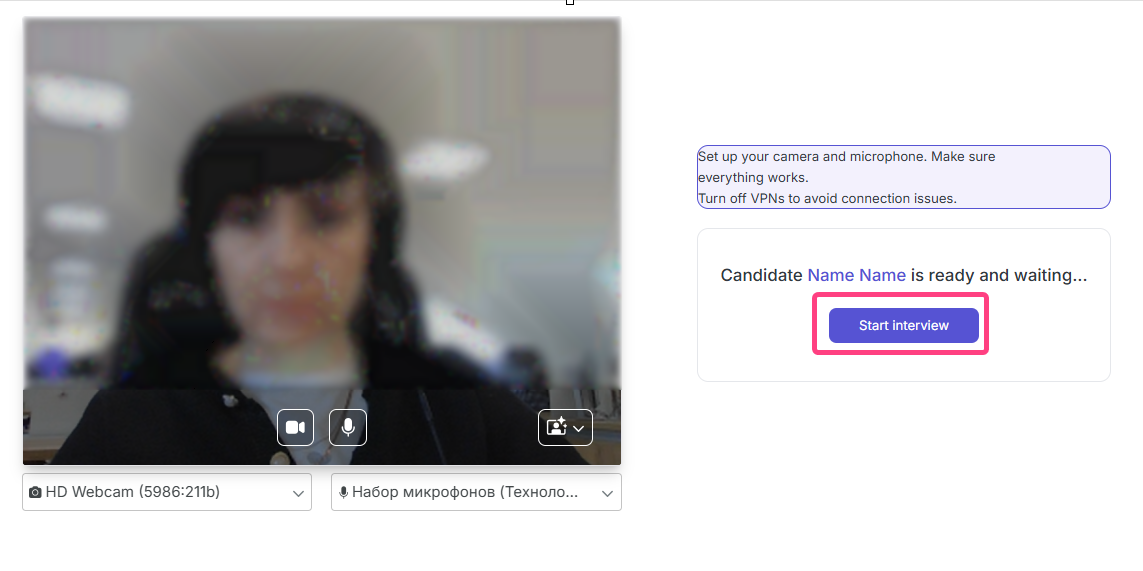
- Click Start interview.
Interview Flow
The interview usually consists of two parts:
- a general conversation covering experience, motivation, current role, and technology stack;
- a technical screening with questions on the selected specialization.
After the interview starts, an interface with the Interview plan will open. It contains discussion topics such as General Information, Experience, Motivation, and others. Topics can be covered in any convenient order and marked as completed as you go.
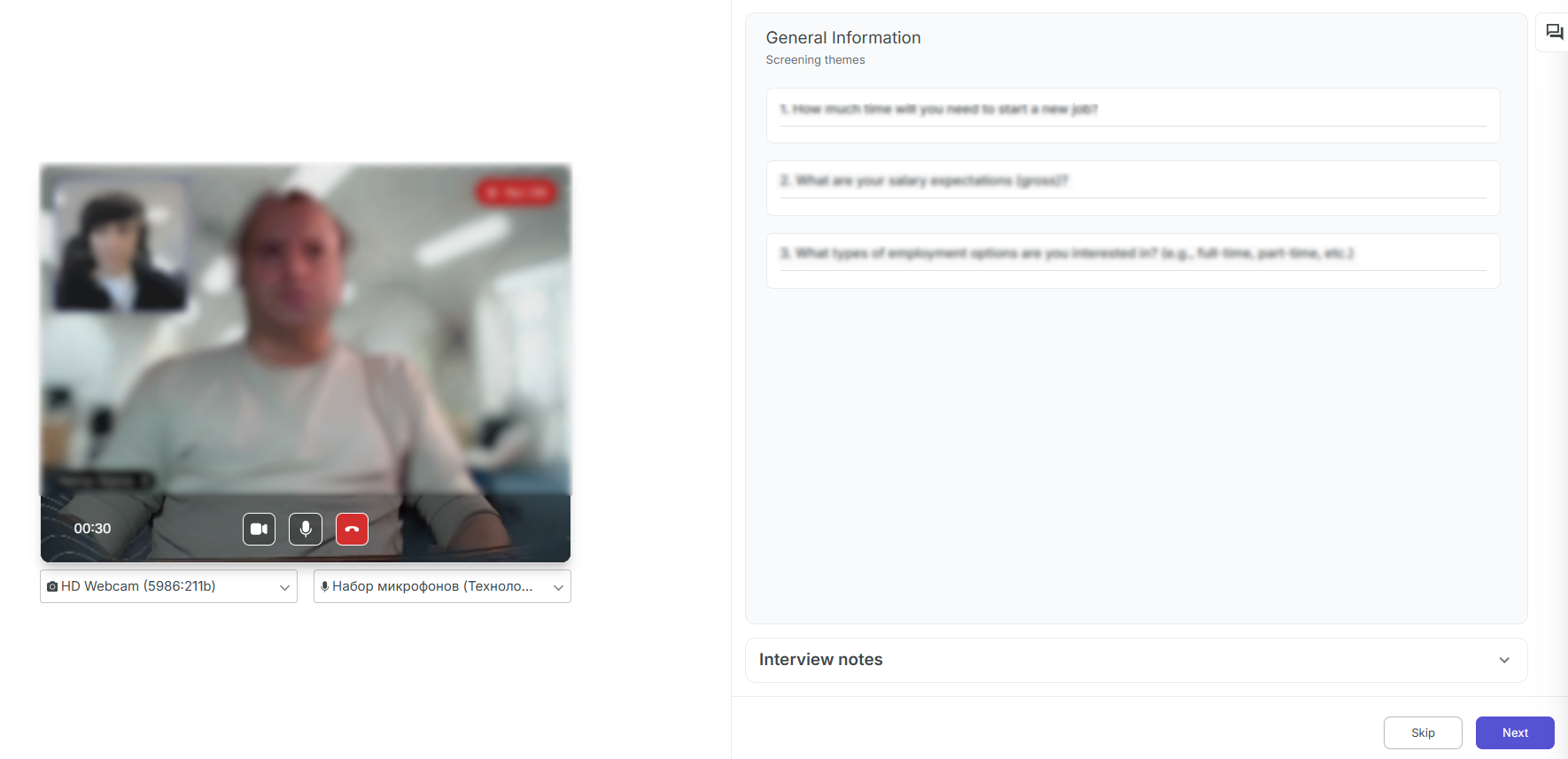
After completing the general part, click Start technical part.
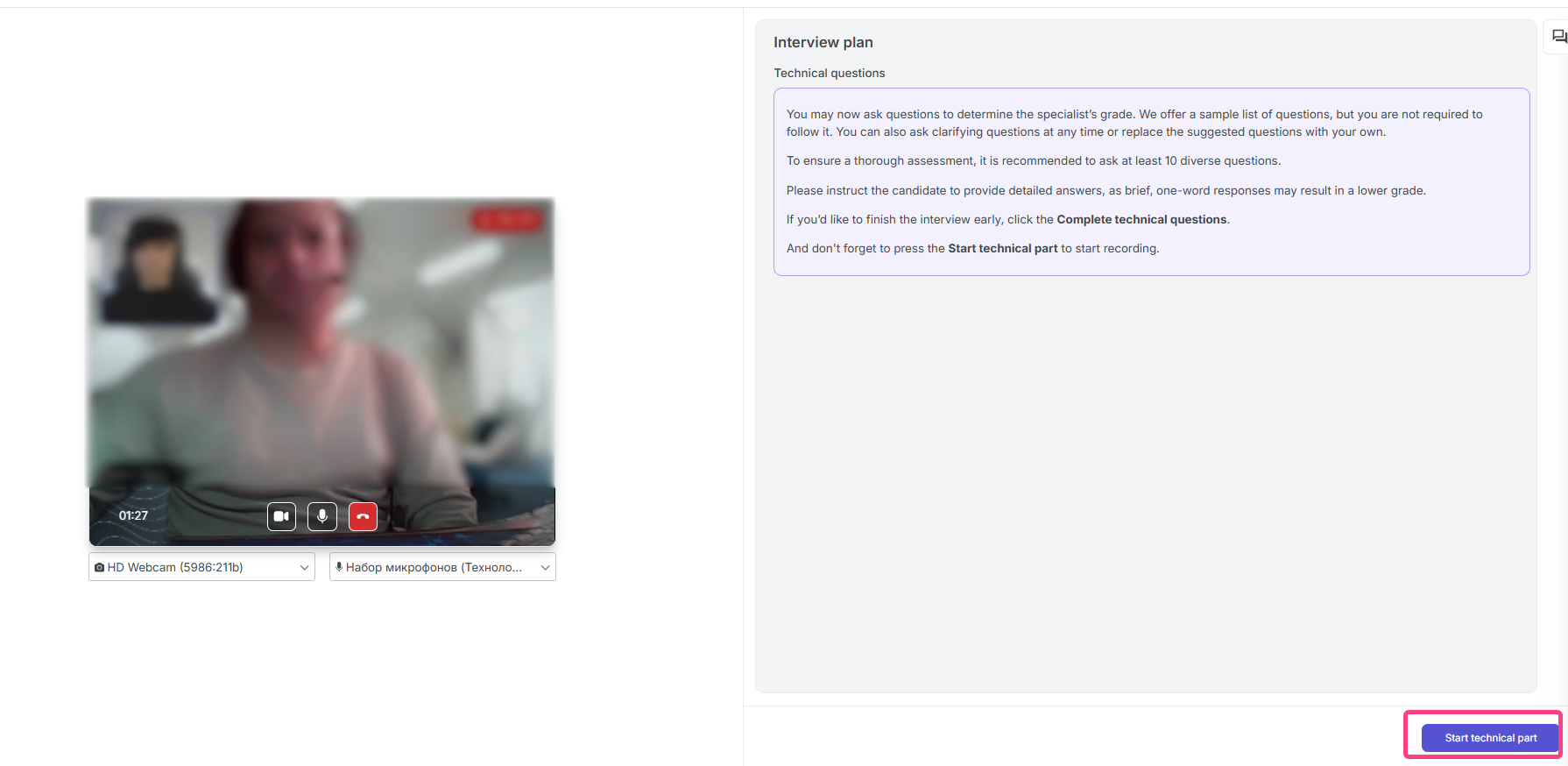
During the technical block, the system shows candidate questions one by one. In the recruiter interface, each question displays:
- the question text;
- Alternative explanation of the question, if the candidate needs the question to be rephrased;
- Answer, an example of the expected answer for guidance.
During the interview, the AI system analyzes the candidate's answers, and the recruiter can add interview notes.
Finishing The Interview
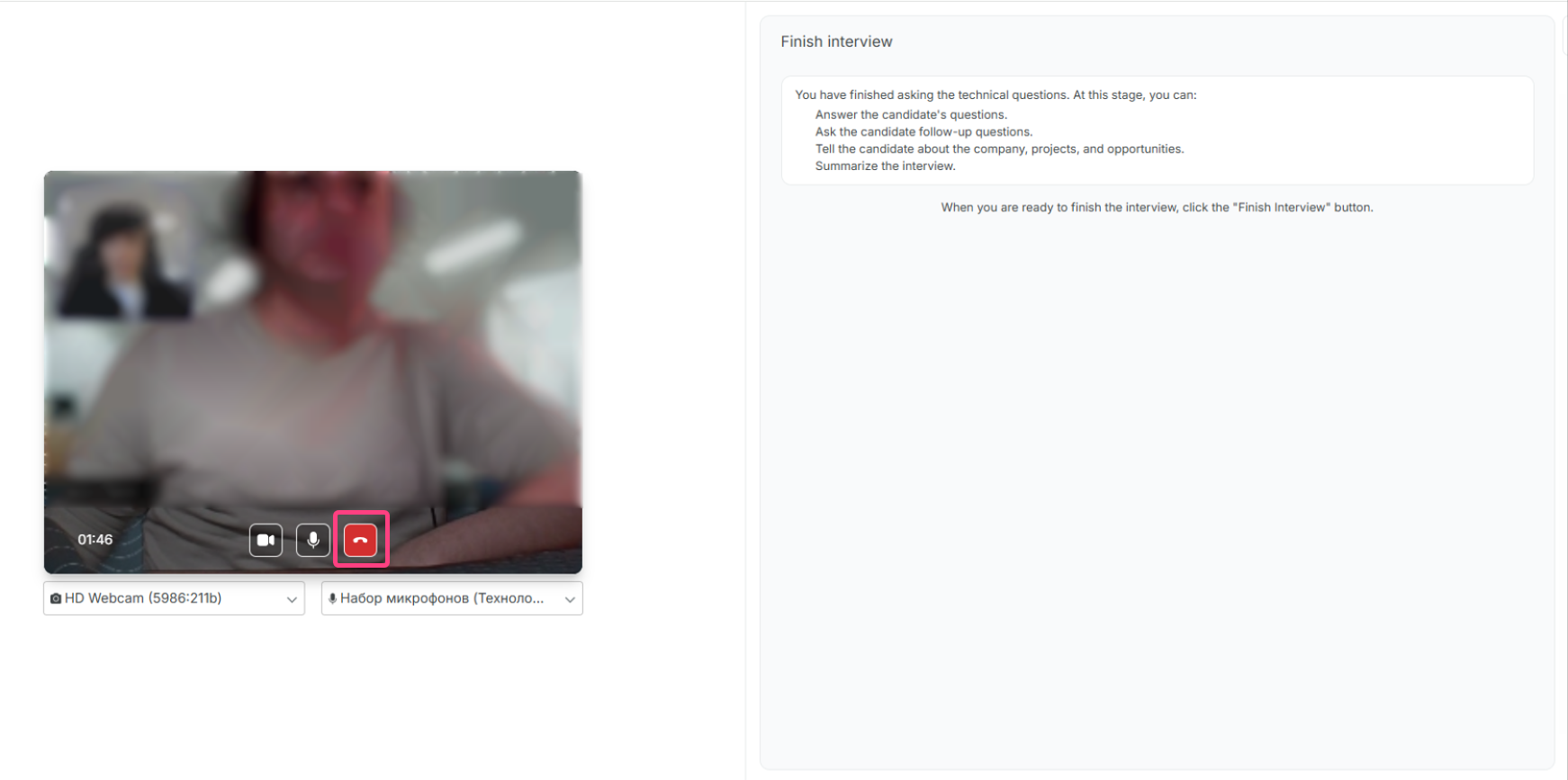
- After the technical questions are completed, the Finish interview stage will open.
- At this stage, you can answer the candidate's questions, talk about the company, and summarize the meeting.
- To finish completely, click the red phone icon.
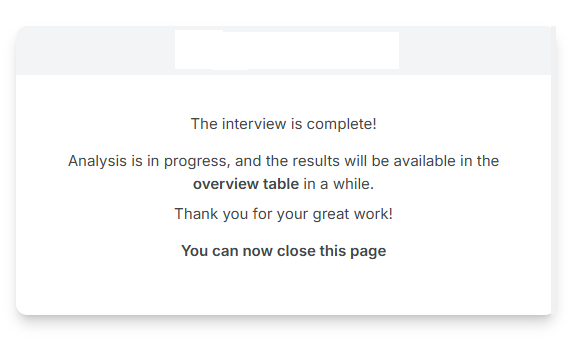
- A final completion message will appear afterward.
After The Interview
- The system automatically analyzes the conversation and generates a report.
- After some time, the results become available in the Overview section.
- The detailed report usually includes:
- the final AI-generated score;
- the interview video recording;
- the dialogue transcript;
- answer analysis with AI comments.