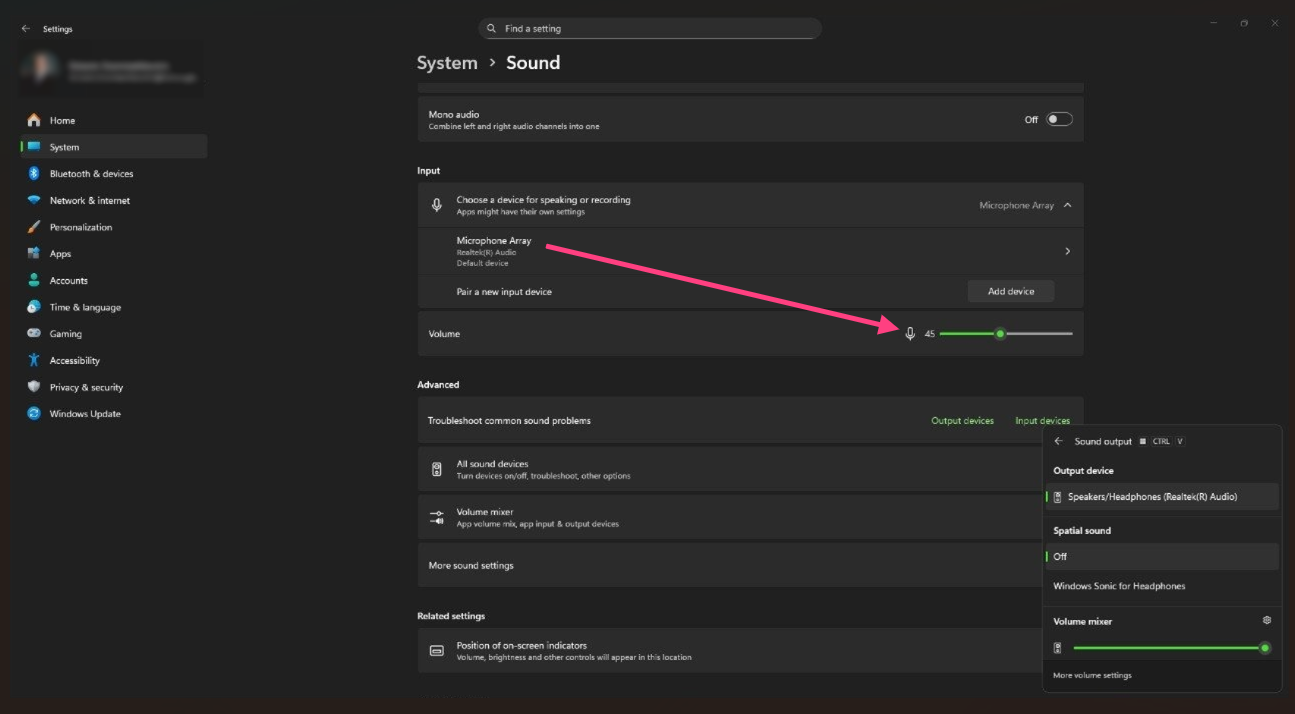
Solution for Windows
If the other participants cannot hear you during the interview, follow these steps.
Step 1. Check that audio is not muted
Windows 10
- Go to
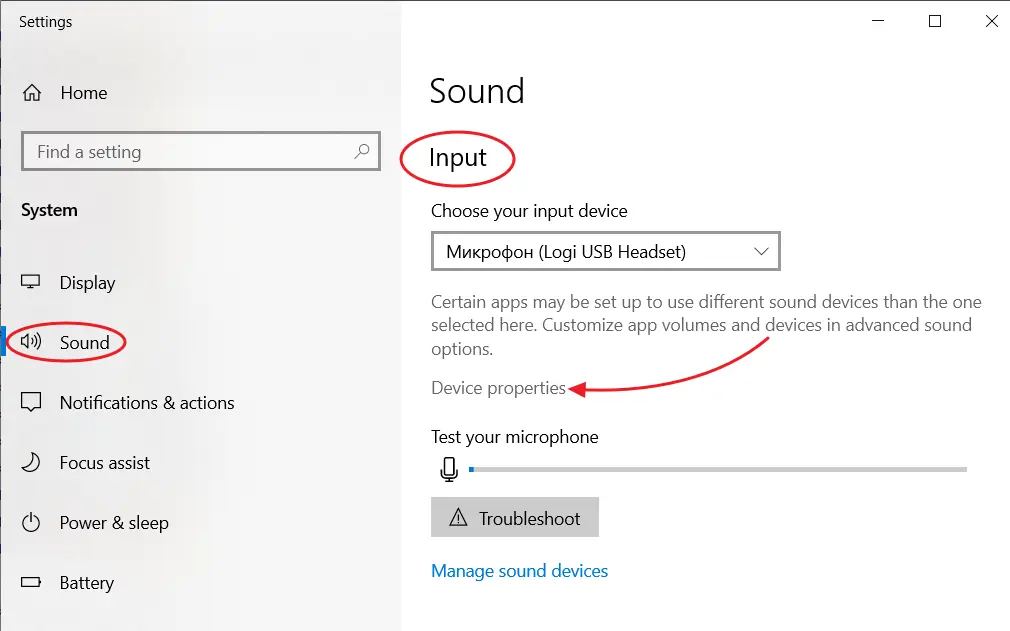
Start→Settings→System→Sound.
- In the
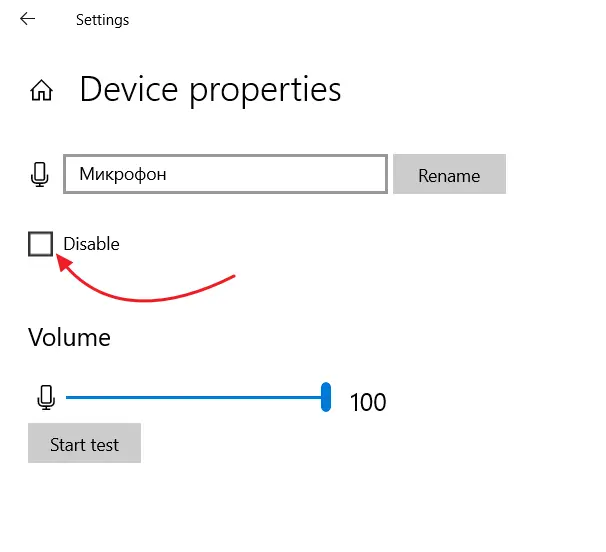
Inputsection, select the required microphone, if there are several, and clickDevice properties. TheDisableoption must stay unchecked.
Windows 11
- Go to
Start→Settings→System→Sound. In theInputsection, select the required microphone.
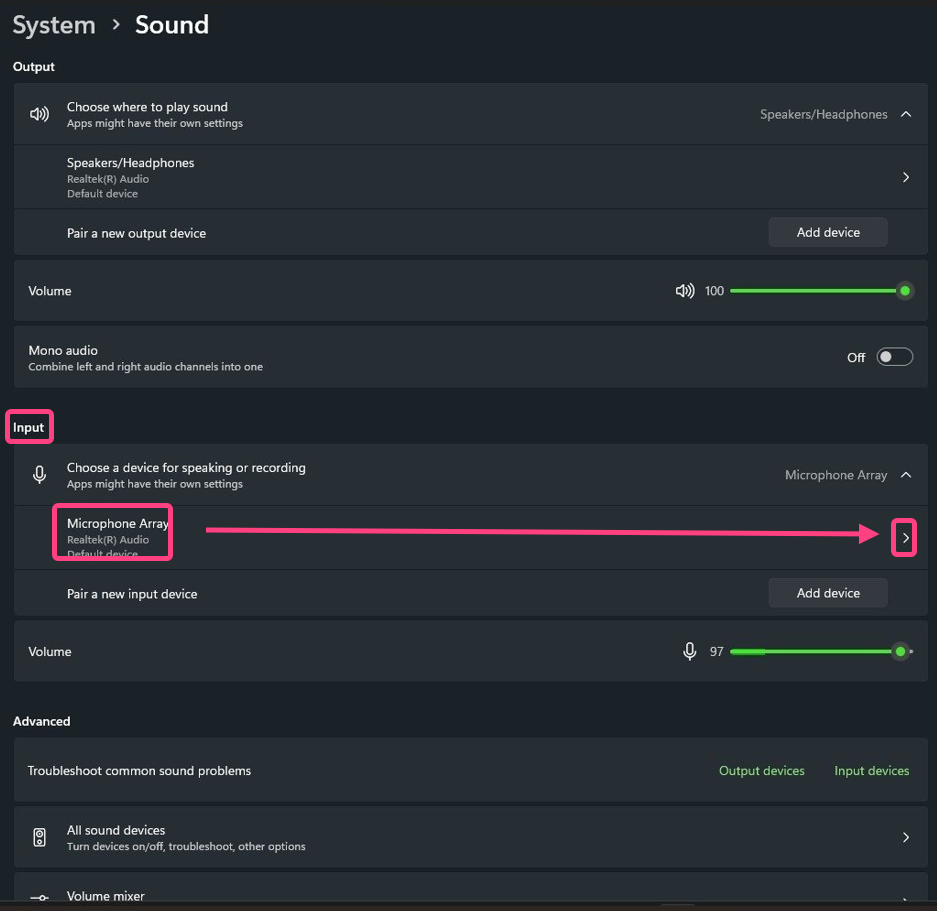
- Open the selected device properties and make sure device use is allowed in the
Soundblock.
Step 2. Check microphone settings
Windows 10
- In the notification area on the taskbar, right-click the speaker icon and select
Sounds.
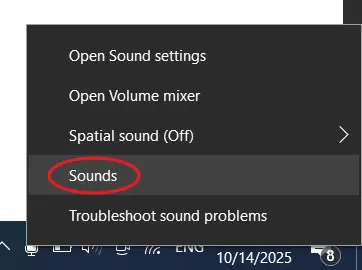
- In the window that opens, on the
Recordingtab, select the microphone and clickProperties.
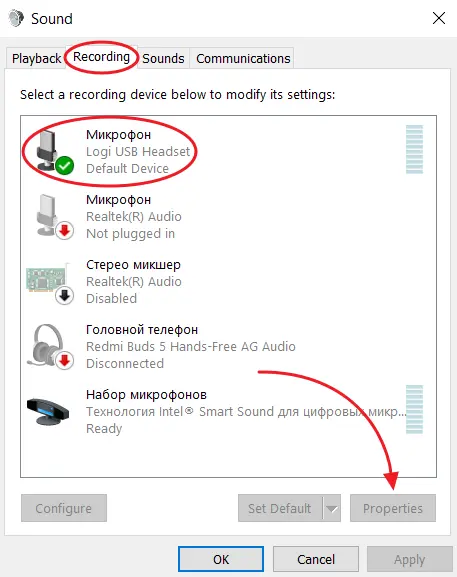
- On the
Levelstab, make sure microphone audio is enabled and the volume is set to maximum.
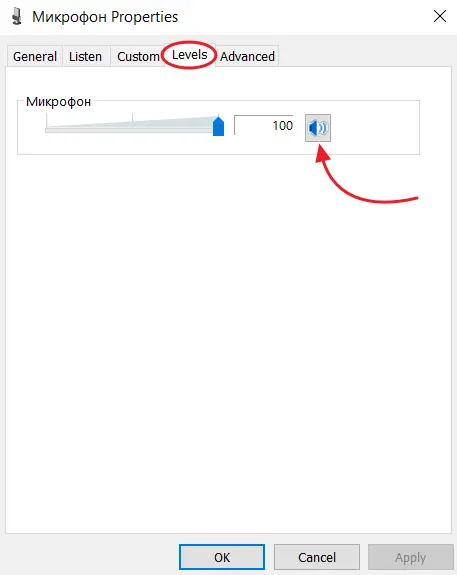
- Click
OK.
Windows 11
- In the input settings, set the input volume to the maximum value.