Solution for macOS
Check whether the microphone is enabled in system settings
- Select
System Settings→Sound→Input.
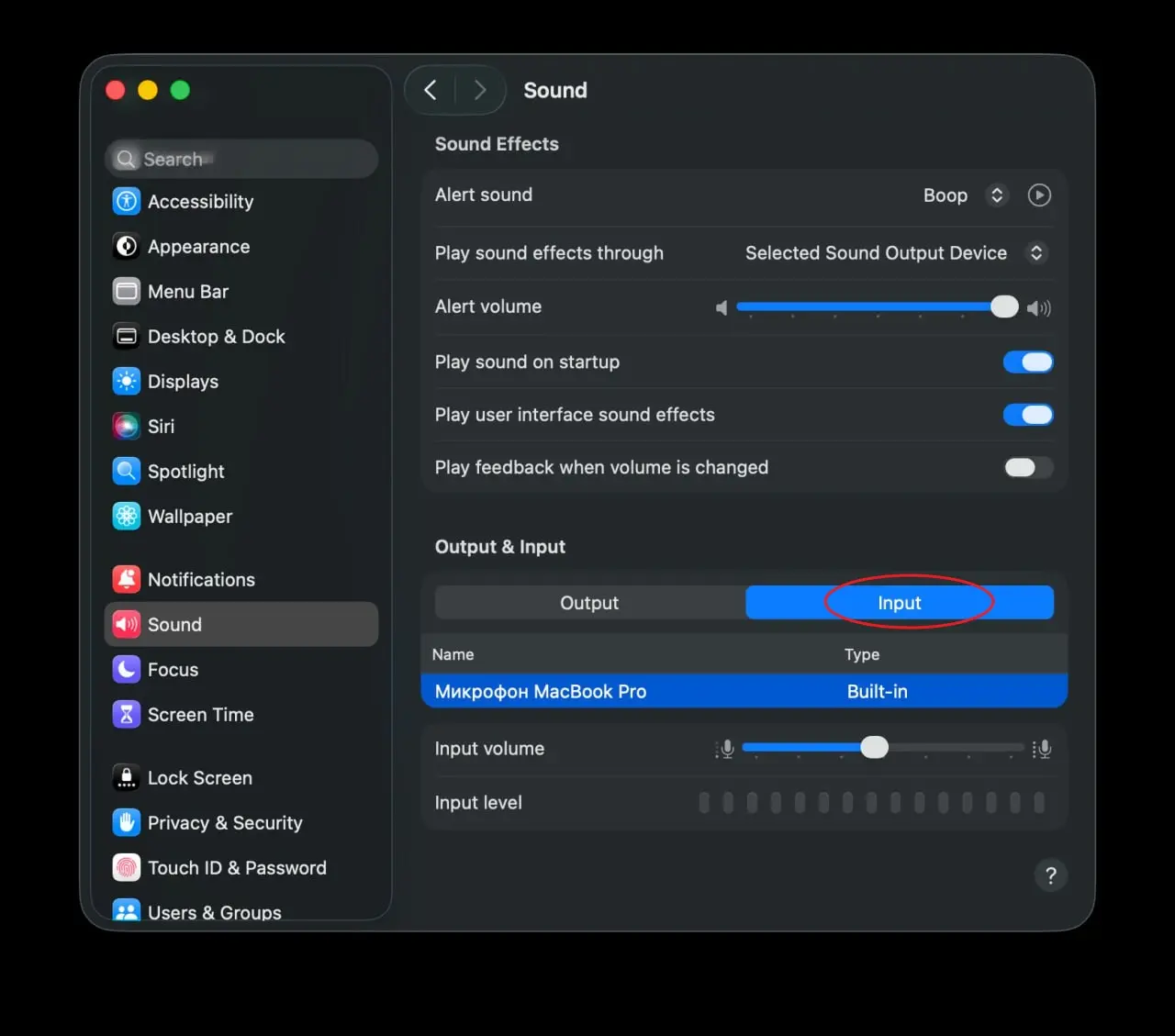
- Make sure the microphone is connected and appears in the device list.
- If necessary, increase the input volume using the
Input volumeslider.
If the microphone still does not work, try restarting your computer or go to the Additional Solutions section.